The Generic Definition Isn’t Wrong, It’s Just Useless
If you’ve searched “virtual CIO SMBs,” you’ve probably already read the summary: a virtual CIO (sometimes called a vCIO or fractional CIO) provides the strategic guidance of a Chief Information Officer without the cost of a full-time executive hire. That’s accurate. It’s also not enough to help a CEO or CFO decide whether to bring one in.
What actually matters when you’re evaluating this for your own company is more specific: What does this person do in week one versus month three? What shows up on paper? Which decisions that used to sit with a vendor, an IT manager, or nobody in particular now sit with someone accountable to the leadership team?
This article walks through that, using a realistic 90-day engagement arc rather than a role description. If you’re comparing this against building internal IT capability from scratch, start by asking who in your company owns IT decisions today.
What a Virtual CIO Actually Does, Stated Plainly
Strip away the framing and a virtual CIO’s job comes down to a short list of responsibilities, consistently described across the industry:
- Building a technology roadmap that ties IT spending and projects to actual business goals, instead of reactive purchases when something breaks
- Overseeing cybersecurity and compliance posture, including things like multi-factor authentication, data protection, and industry-specific regulatory requirements
- Managing the IT infrastructure conversation — cloud environments, vendor contracts, aging hardware — so it’s someone’s job to track, not everyone’s afterthought
- Vetting technology decisions before money is spent, including AI tools, software platforms, and automation projects
- Translating technical tradeoffs into business language at the leadership table, so a CEO or CFO can make a call without needing a computer science background
None of that requires a full-time hire. It requires someone with CIO-level judgment spending focused, recurring time on your business. That’s the entire premise of the fractional model, and it’s the same logic that’s made fractional CFOs and CMOs common in SMBs over the last decade.
A Realistic 90-Day Virtual CIO Engagement
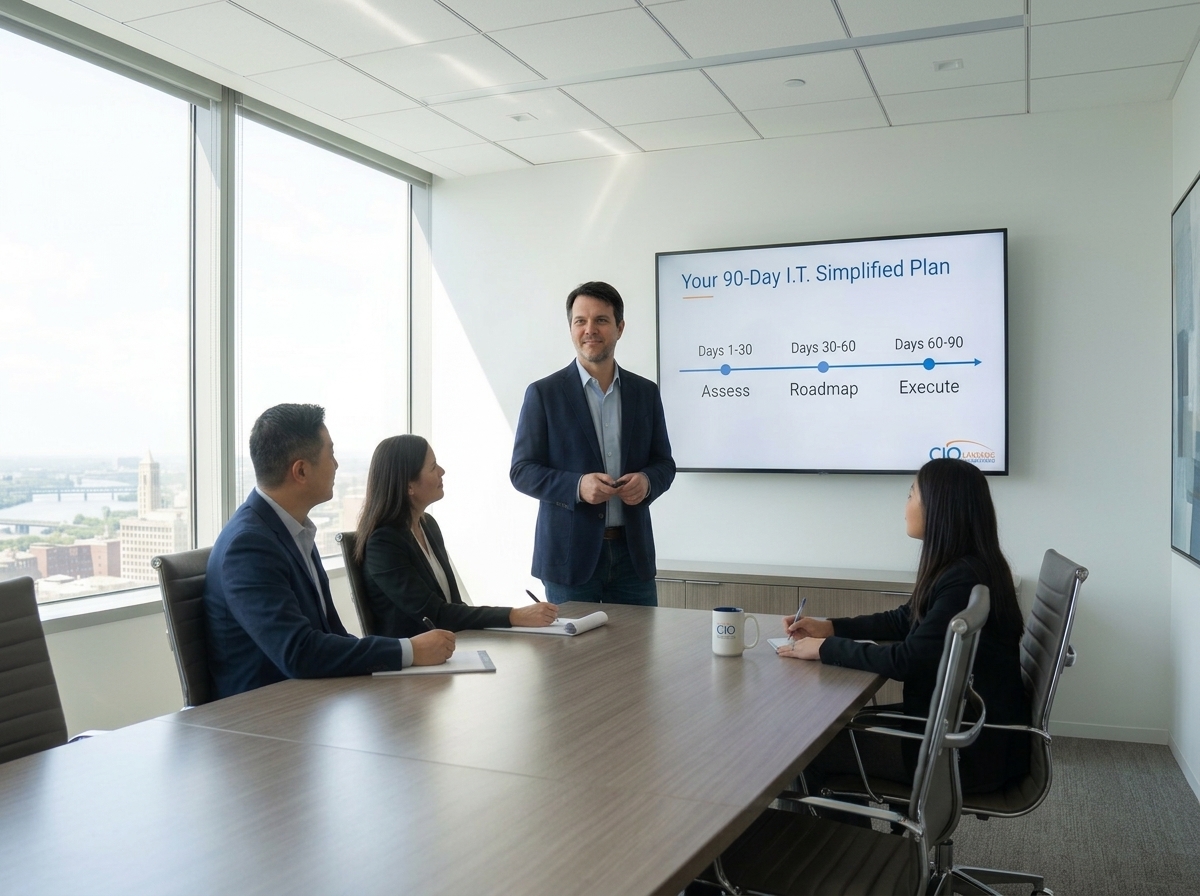
Here’s where most explanations stop short. A vCIO engagement isn’t a standing meeting that appears on your calendar forever — it has a shape, especially at the start. While specifics vary by provider, a reasonable first-90-days arc looks like this:
Days 1–30: Assessment The vCIO inventories what you actually have: systems, contracts, security controls, backup and disaster recovery status, and where IT decisions currently get made (often by default, by whichever vendor answers the phone fastest). The output here is usually a current-state document, not a plan yet — you can’t build a roadmap on an inventory you haven’t taken.
Days 30–60: Prioritization and Roadmap With the assessment done, the vCIO builds a sequenced roadmap: what needs to happen now (usually security gaps), what needs to happen this year (infrastructure or platform decisions), and what can wait. This is also typically when budget conversations get concrete — real numbers attached to real projects, reviewed with you or your CFO.
Days 60–90: Execution Kickoff and Cadence The first roadmap items move into motion, and a recurring rhythm gets established — usually monthly or quarterly strategic reviews, separate from any day-to-day IT support ticket queue. This is also when reporting starts: what’s been fixed, what’s in progress, what risk remains open, and why.
After 90 days, the work becomes cyclical: review, adjust, execute, report. The value isn’t a one-time deliverable — it’s that someone senior is doing this on a schedule instead of when a crisis forces it.
If you’re currently running IT with no dedicated internal function at all, a vCIO often gets introduced precisely at the point where that survival-mode approach stops scaling.
What Decisions Actually Change at the Leadership Table
This is the part a definition can’t capture. Once a vCIO is in place, a few specific things tend to change in how leadership operates:
- IT spending gets a business case attached to it. Instead of “we need to renew this” or “the vendor says we should upgrade,” a CEO sees a recommendation tied to a stated business reason and a rough cost-benefit.
- Security and compliance stop being invisible until something goes wrong. A vCIO makes risk visible on a schedule, which changes it from a surprise into a managed line item.
- Technology decisions get sequenced instead of reactive. Projects get evaluated against each other and against what the business can actually absorb, rather than approved individually as they come up.
- The CFO gets a second opinion on IT costs that isn’t from the vendor selling the solution. This matters more than it sounds — an outsourced perspective isn’t trying to sell you more hardware or a bigger contract.
None of this requires the vCIO to sit in your office. It requires them to show up consistently and be accountable for the roadmap, not just for answering questions when asked.
Virtual CIO vs. Managed IT Services vs. Outsourced CIO: Where the Lines Are
These terms get used loosely, and the overlap causes real confusion for CEOs evaluating options:
- Managed IT services typically covers day-to-day support: helpdesk, monitoring, patching, break-fix. It’s operational.
- A virtual CIO sits above that layer. It’s strategic, not operational — the roadmap and decision-making function, not the ticket queue.
- Outsourced CIO services is often used interchangeably with virtual CIO, though some providers scope it slightly differently. Ask any provider to define exactly what is included before you compare proposals.
Many SMBs end up with both a managed services provider for daily support and a vCIO for strategy — sometimes from the same firm, sometimes not. Neither one replaces the other.
Is a Virtual CIO Right for Your Company Right Now?
A few honest signals that this is worth evaluating:
- Technology decisions keep getting made by whoever is loudest or most available, not by anyone weighing business tradeoffs
- You can’t say with confidence what your actual security posture or compliance exposure looks like
- IT spending feels reactive — driven by what broke, not what the business needs next
- You’re growing and starting to sense that the ad hoc approach that got you here won’t get you to the next stage
A few honest signals that it might be premature:
- You don’t yet have consistent day-to-day IT support in place (get that foundation first)
- Your technology footprint is genuinely simple and stable
There’s no universal revenue or headcount threshold where this flips from unnecessary to essential — it depends on how complex your technology decisions have become relative to who’s currently making them.
FAQ
What does a virtual CIO do?
A virtual CIO provides the strategic technology leadership of a Chief Information Officer — building an IT roadmap, overseeing cybersecurity and compliance, guiding major technology decisions, and translating technical tradeoffs into business terms — on a fractional or contract basis rather than as a full-time hire.
Is a CIO higher than a CISO?
In a typical org chart, a Chief Information Officer (CIO) oversees overall technology strategy and operations, while a Chief Information Security Officer (CISO) focuses specifically on cybersecurity and often reports into the CIO function, though reporting structures vary by company.
What is a virtual chief information security officer?
A virtual CISO (vCISO) is similar in structure to a virtual CIO but scoped specifically to security leadership — risk assessment, compliance, and security program oversight — rather than the broader technology strategy a virtual CIO covers.
What does CIO stand for in cyber security?
CIO stands for Chief Information Officer. In a cybersecurity context, the CIO is typically responsible for overall technology strategy, which includes ensuring cybersecurity is properly prioritized and resourced, even when a separate security leader (CISO) handles the day-to-day program.
How is a virtual CIO different from a managed IT services provider?
Managed IT services generally cover operational support — helpdesk, monitoring, patching. A virtual CIO operates at the strategic layer above that: building the roadmap, prioritizing technology investments, and overseeing risk. Many SMBs use both together.